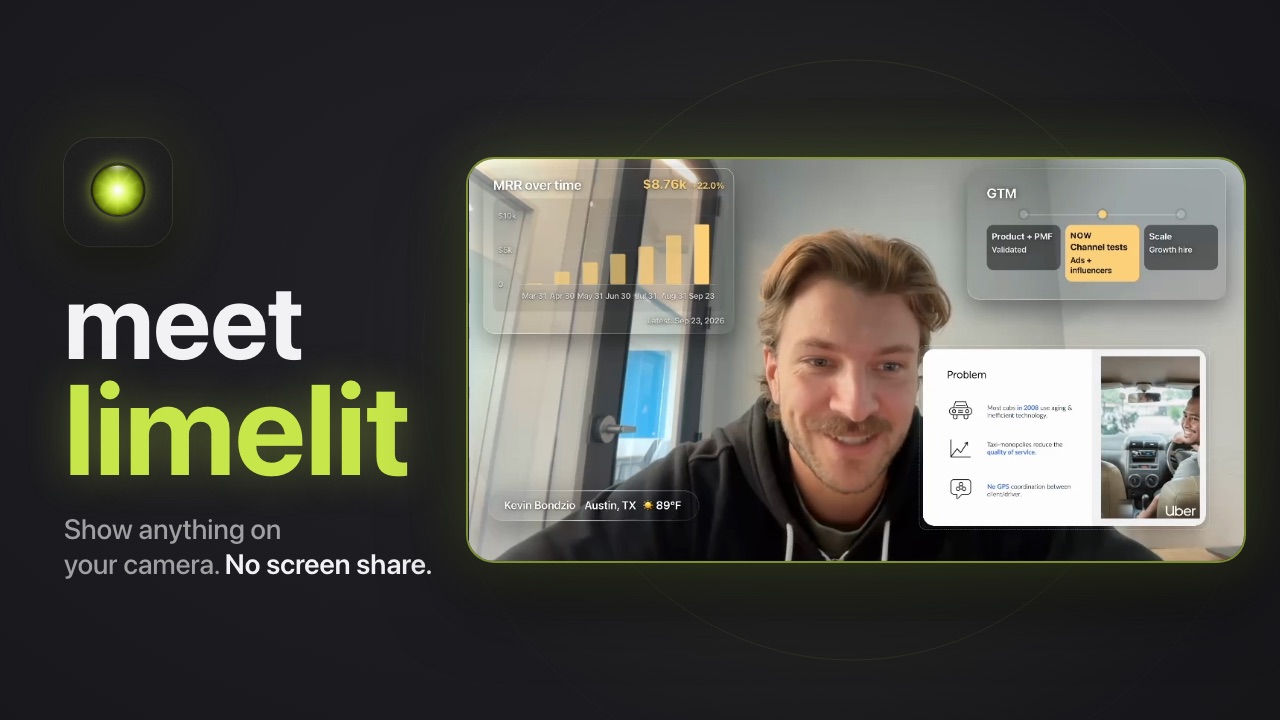



Type what you want on camera. It appears.
It's a camera. Pick “Limelit Camera” wherever you pick a camera, and nobody else installs anything.
- Zoom
- Microsoft Teams
- Google Meet
- Webex
- Slack
- FaceTime
- Riverside
- Loom
Three moments
One conversation, before, during and after the call.
There is no project to set up and no chat to switch. You talk to one place, and what you ask for lands on camera.
Before. Build by talking.
An agenda, the numbers from a file, a decision log that starts empty. One conversation, no editor, no settings. Drop a file in and it becomes a cue or context the agent reads when it comes up.
- Is there an API?
- How does pricing scale?
- Does it work in Zoom?
During. It listens, you keep talking.
With Listen on, the agent follows the call. The agenda ticks itself off. A question lands in the queue the moment it is asked, and is checked off when you answer it. Nothing to click.
After. Nothing to clean up.
The transcript is gone the moment the call ends. Everything you built stays: the cues, the decision log with what the call put in it, the questions and their answers. Next week, "put the decision log back up" just works.
A camera, not a streaming rig
For people who want to look prepared, not produced.
Works where your camera works.
It is a camera. Pick “Limelit Camera” in Zoom, Meet, Teams, FaceTime, anything that lists cameras. Your picture goes through untouched, with the layer on top.
Out of the way.
During a call there is one small floating panel. It never steals focus, it is invisible to screen sharing, and the shortcuts work while Zoom has the keyboard.
Read in a small tile.
Cues are judged at the size participants see them: big type, few words, contrast that survives meeting-video compression. The agent refuses anything smaller.
Quiet by default.
During a call the agent does only what you set up. It never interrupts, never suggests, never talks over you. The light is on only when it matters.
The light comes on soon.
limelit is in early access on macOS. Leave your email and we'll write when your spot opens.